Follow on Twitter

Showing posts with label Windows. Show all posts

Important Notice

Please Note :

Friends, Due to my Busy Schedule from Last couple of months I am unable to Update anything on this Blog
So I request all of you to Follow me On Facebook to receive updates

You can follow me by clicking the Follow Button on sidebar.

Or You can click Here to visit my facebook profile
I prefer to use facebook but you can also get me on twitter by clicking here

How to make Symbols with keyboard

How to make Symbols with keyboard

To make Symbols with Keyboard use the following combinations of keys.
If you know any other symbol by using keyboard pls comment below the post.


Adobe CS2 Softwares worth $1995 Free with Licensed Serial Key @ Adobe

Adobe CS2 Softwares worth $1995 Free with Licensed Serial Key @ Adobe

If you’re not in need of the latest and greatest Adobe software, the company is offering the 2005 version (Adobe CS2 Softwares) which includes Photoshop, Illustrator, InDesign, and more, for free with Serial Code whose actual price is 2000 $ ( Source amazon).To get the free downloads, you need a free Adobe Member account. Once you sign up you can download the entire suite or individual applications for free.


ACI Icon 1100 - A low cost laptop for just Rs.4999

ACI Icon 1100
A low cost laptop for just Rs.4999

The UK-based computer brand ACi unveiled a fully-functional high-resolution screen laptop - Aci Icon 1100 - at Rs 4,999 in the Indian market.
The laptops will be marketed in India by a BSE-listed group company, Allied Computers International (Asia) Ltd.

Lock Your Drives Without Using Any Software


How to Lock Your Drives Without Using Any Software

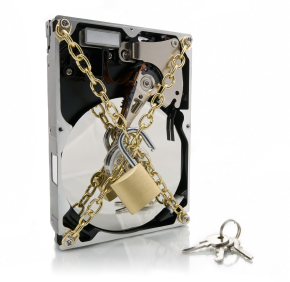
I have allready written about How to Lock Or Hide A Folder, A File Or A Drive On The Computer and How to Lock a Disk Drive in Windows 7, but this time i have another method to lock or protect your hard drive.
this method is pretty simple and it can be done very fast without involving any DOS commands or other awkward procedure. If you want to hide any of your drives or all the other drives in your PC
Then just follow this simple steps.

How to Lock a Disk in Windows 7


How to Lock a Disk Drive in Windows 7

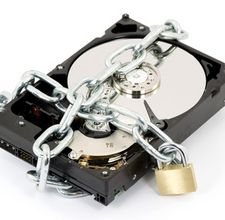
If you want to protect your valuable information on your hard disk, there is a pre-installed tool in the Windows 7 operating system that you can use. Microsoft's BitLocker is a file encryption utility that you can apply to a single file or an entire drive.
BitLocker establishes a line of defense against Hackers attempting to steal information, because when you lock or encrypt the drive, only the password will grant access to the files.


How To Install Windows 8 Developer Preview From USB Flash Drive

How To Install Windows 8 Developer Preview From USB Flash Drive

Windows 8 craze has started, now everyone is eager to test it. Windows 8 Developer Preview is released and available for download for free. If you want to test upcoming Windows 8 operating system in your computer, then you can do this in two way.
one is to install Windows 8 virtually in VirtualBox/Vmware and the other is to install Windows 8 physically in your computer’s hard disk.
Installing Windows 8 physically in computer can be done in two ways
1) burning Windows 8 image file into a blank DVD.
2) using a bootable USB flash drive.
I’ll recommend you to install from USB flash drive because it will be faster, and you don’t need to use any blank DVD.
Creating bootable Windows 8 is very simple, and it takes hardly 10 minutes to complete and in this process you don’t need to mess up with the windows command prompt. some of you know about creating bootable Windows 7 from .iso file, using same way we can make Windows 8 bootable USB pen drive.

How To Install Windows 8 Developer Preview In VirtualBox


Install Windows 8 Developer Preview In VirtualBox

If you are not living inside cave, then you should know that Windows 8 Developer Preview version is released and it can be downloaded and installed for free. You can install latest Windows 8 in your computer in traditional way that means by burning the Windows 8 image file (.iso) and booting from the DVD.
But I’ll recommend you to install Windows 8 using Virtualbox as Windows 8 is currently in developer stage and it does not contain all features and not ready as a primary operating system. in addition it’s still glitchy and you can’t easily downgrade to Windows 7.
Today I’m going to show you how to install Windows 8 Developer Preview version in VirtualBox. When installing Windows 8 in VirtualBox you need to change some options otherwise it will not work.

How to Dual-Boot Windows 7 and Windows 8 Side By Side


How to Dual-Boot Windows 7 and Windows 8 Side By Side

The Windows 8 developer preview is out for all to try, but installing it over your main Windows setup is a scary (and unrealistic) prospect.
Here's how to dual boot Windows 8 with your current Windows 7 installation so you can run them both side by side.
If you've ever dual booted a machine before, this shouldn't seem too foreign.
All you need to do is create a new partition for Windows 8, install it on that partition, and then edit your new boot menu so Windows 7 stays the default OS. Here's how to do it.

Windows 8 Developer Preview Available for download


Windows 8 Developer Preview Available for download

Given Windows 7’s mostly sterling reception on desktop and laptop computers, you might be forgiven for asking why we need a Windows 8 so soon especially one that’s a huge departure from 2009’s release.

After all, Microsoft's tagline for Windows 8 is "Windows Reimagined" and that’s a pretty bold prospect.
The impetus, of course, came in 2010, down the Pacific Coast from Microsoft’s Washington headquarters. Namely, it started in Cupertino, Calif., in the form of Apple’s first great touch-input tablets and the new industries it spawned. And it rolled north fast. With three huge trends—touch interfaces, the emergence of Android as a competitor to Apple’s iOS, and the mobile-app revolution—taking off with rocket boosters attached, Windows has been something of a third-wheel operating system (OS) at the touch-computing party.

How To Fix Generic Host Process for Win32 Services Error and Error 88780078

How To Fix Generic Host Process for Win32 Services Error and Error 88780078

Many Windows user have noticed about the Error 88780078 and Generic Host Process for Win32 Services Error. Today I am going to Explain about How to fix this bug with some simple steps. Just check the following pictures. Is your problem the same? Windows showing generic host process for win32 error and some services stop such as Windows Firewall is disabled and many times windows shows bad sound driver with error 88780078 but some sounds work on the system.


Use PenDrive as RAM in windows XP


How to Use your Pendrive as RAM in Windows XP

RAM in a computer is its memory and its a main component of Computer. The more RAM computer has, the more speedy and faster the process will do . As we all know that Computer we newly purchase has only 1 or 2 GB RAM and that's to low for an average person. And the computer can't run High Power consuming softwares. moreover, Gamers will face problems due to low RAM. They can add more RAM to Boost PC Speed but indeed it requires to spend money.
But Now it can be done in a cheaper way, as i mentioned to Use your Pendrive as RAM in my earlier post.
it was for Windows Vista and 7, but now it is also available for windows XP.

How to use pendrive as ram

How to Use your Pendrive as RAM for Windows PC

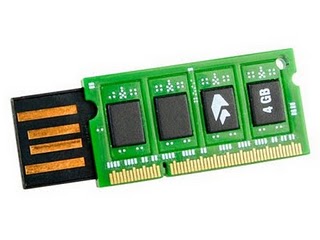
I have already written about the Standard methods to improve system performance. But after using all these methods if your system works  slowly,Then you should increase your RAM. RAM(Random Access Memory) is the form of computer memory, it considered “random access” because you can  access any memory cell directly if you Know the row and column that intersect at that cell. RAM can easily be added to computer till maximum capacity of motherboard . RAM can get expensive, but you can use your Flash drive(Pen Drive) as RAM. This is cheaper way to increase system Random Access memory.

Essential Settings To Speed Up Windows 7

Essential Settings To Speed Up Windows 7


The Microsoft has designed Windows 7 for proving better performance, fast processing than Windows xp and Windows vista. The laptops/desktops tends to slower as the time passes, its  not the fault of Windows. Accumulation of junk in the system and execution of too many unneeded programs and services are the main reasons of this fault.

There are many ways to speed up your laptop computer, but let’s check out some of the most useful and important ways in which you can speed up your Windows 7 laptop.

How to setup a Yahoo! Mail email account in Windows Live Mail


How to setup a Yahoo! Mail email account in Windows Live Mail

The ability to access Yahoo! Mail via Windows Live Mail is only available to customers of Yahoo! Mail Plus service.
But you can try this on simple mail after you have Enable POP3 in your yahoo! Mail Account.
for the Details on How to Enable POP3 in the Yahoo! Mail refer to my older post about How to Enable POP3 in the Yahoo! Mail.

Using System Restore to Fix Virus Problems


How to Get rid of Virus Problems Using System Restore

One of the handy features of Windows XP, Vista and 7 is the System Restore utility. I’ve shared quite a bit in the past on how to remove a virus or malware by using safe mode and various other means, but one of the easiest ways which often is successful, is to use the built in System Restore tool on Windows 7 (or below).


What is Windows Updates


What is Windows Updates and Is it Essential or Not...???

If you are a Microsoft (MS) Windows user, you might have noticed that Windows every few weeks provides updates for you to download. Now that broadband is more popular, these occasionally large, updates are now quicker to install. Microsoft produces an update each time a vulnerability is found in it’s Windows operating system. The update fixes a security hole which helps prevent people attacking your PC and causing damage.

How to create a folder with name CON ??


Cannot Create Windows Folder Named Con
Learn How to create it.

According to a rather breathless little message, which circulates via email and online, it is not possible to create a folder named "CON" on a Microsoft Windows based computer.
The message claims that not even Bill Gates or the whole Microsoft "Team" can explain why this might be so.

Set Google as Your Desktop Wallpaper

Set Google.com as Desktop Wallpaper Background in Win XP.

The trick simple and you won't need any third party software to set a website as the desktop wallpaper.

If you do not have Knowledge of Html or web then just follow the first Simple Trick.
If you have some basic knowledge of html then you can follow the Second Trick.

Top Keyboard Shortcut Keys for Windows Users


Useful Keyboard Shortcut Keys for Windows Users


These days people are very interested to use shortcut keys, so i listed out the top useful shortcut keys,
I will publish the whole shortcut keys list later.
Now let us see the mostly used desktop shortcut keys

Few of these keyboard shortcuts work in XP, Vista as well as Windows 7 but most of the shortcuts I'll be talking about on this page will only work on Microsoft's newest Operating System (Windows 7).

Follow and contact on Facebook